One prospecting system. Every step connected.
ProspectOS connects postcode-scoped property intelligence, vendor and landlord research, campaign creation, automation, follow-up and performance reporting, helping your team move from property signal to next action without rebuilding the work across separate tools.
We noticed your property…
One connected system. Clear roles for every product layer.
ProspectOS brings together work that estate and letting agents often manage across property-data tools, spreadsheets, print platforms, reminders, CRMs and reports.
Six connected modules
Map, Automations, Landlords, Pipeline, Studio and Insights connect property opportunity, controlled action, follow-up and recorded outcomes.
WhatsApp Assistant · ProspectOS Go
WhatsApp and mobile capabilities have separate availability and may depend on release status, plan or add-on entitlement.
Accounts, controls and resources
Postcodes, branches, users, permissions, wallets, safety controls and learning resources support the core prospecting workflow.
From property signal to recorded outcome, in one workflow.
Identify the opportunity, choose the next action, run or review the campaign, organise follow-up and learn from recorded outcomes.
Use it hands on. Or let the system keep campaigns moving.
ProspectOS supports agents who want direct control and teams that want repeatable campaign rules, with review, territory and spend controls around both ways of working.
Hands on control
Filter the patch, select relevant properties, choose an approved letter or postcard, review the campaign and keep the activity, follow-up and recorded outcomes connected.
- One off campaigns
- Valuer led targeting
- Manual review
- Local market pushes
- High value opportunities
Automated campaign journeys
Create rules around supported signals and let ProspectOS evaluate selected postcodes, prepare campaign activity and schedule follow-up automatically or through review-required mode.
- Price reductions
- Withdrawn listings
- Back to market properties
- Sold nearby campaigns
- Landlord opportunities
- Portfolio nurturing
- Supported landlord opportunities
Six modules. One connected prospecting system.
Each module has a distinct role, while the property, campaign, follow-up and recorded outcome remain connected across the wider workflow.
Map
Explore on-market, off-market, sold and let property data across the postcodes available to your branch. Use supported signals, history and filters to decide where to focus.
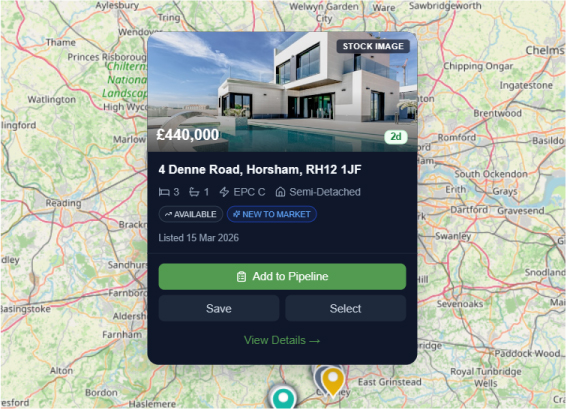
Build a more relevant shortlist before deciding how to act.
Automations
Apply repeatable campaign rules to supported property signals, using automatic or review-required execution.
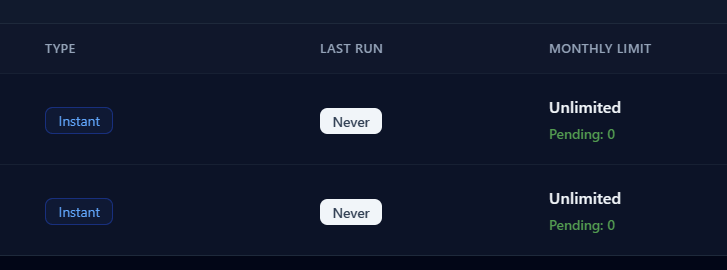
Keep appropriate prospecting activity moving without removing team oversight.
Landlords
Connect supported ownership information with property and portfolio context, then organise relevant lettings prospecting activity.
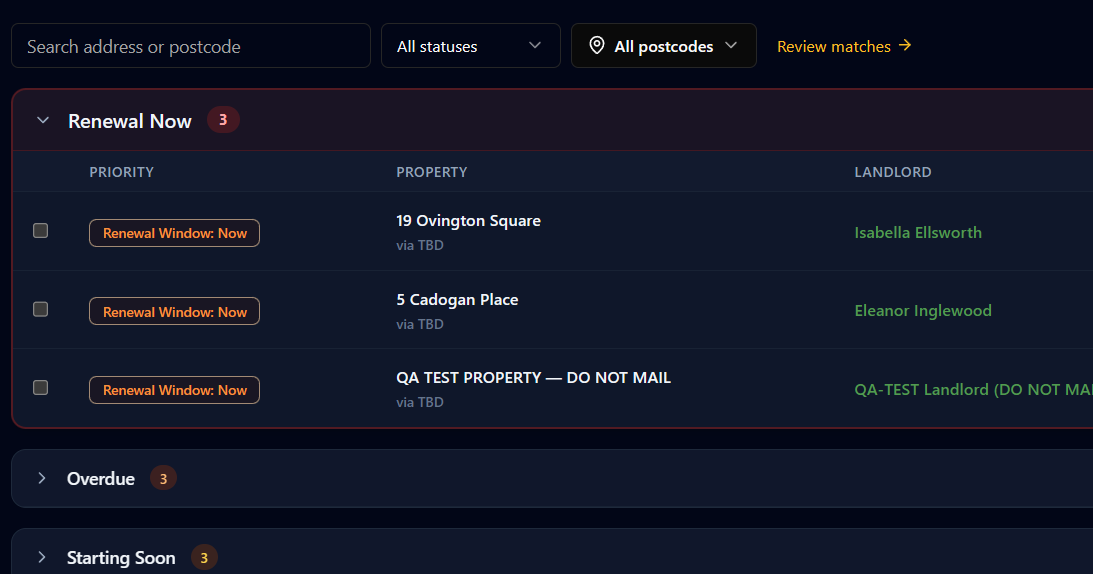
Build a more structured landlord-opportunity workflow.
Pipeline
Give selected opportunities and incoming enquiries an owner, stage, follow-up, valuation pathway and recorded outcome.
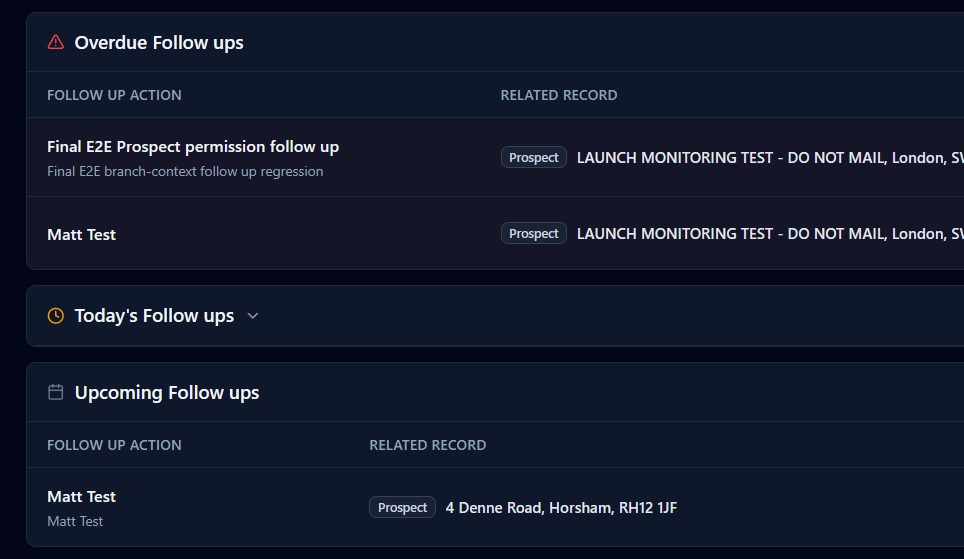
Keep activity connected after the first campaign or enquiry.
Studio
Create reusable A4 letters, A5 postcards and written campaign templates for manual sends, automations and follow up activity.
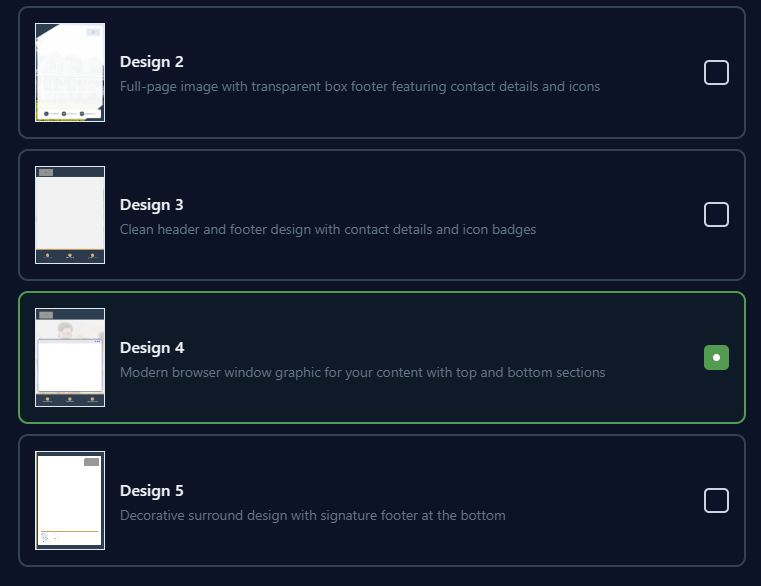
Keep approved campaign creative ready and consistent with the agency's brand.
Insights
Compare recorded campaign, postcode, competitor, cost and outcome information to understand what may deserve to be repeated or changed.
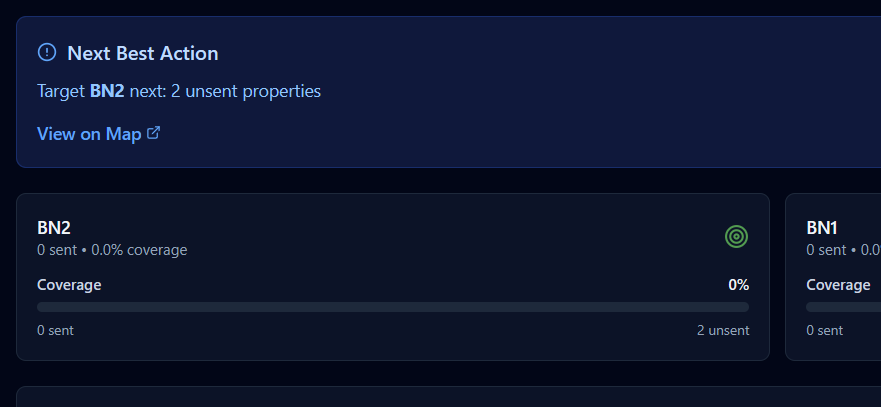
Make better-informed decisions about future prospecting activity.
Build follow-up journeys around supported property signals.
The examples below illustrate how a configured journey could use send, wait, condition and review steps. Exact triggers, timings and conditions depend on the selected setup and released functionality.
Long listing nurture
Maintain relevant follow-up with selected long-listed sellers.
Automated does not mean uncontrolled. Journeys can use automatic or review-required mode, supported by postcode checks, duplicate-send protection, wallet controls and own-listing eligibility checks.
Targeted letters and postcards, connected to the property context.
Move beyond generic leaflet drops by using supported property and postcode context to select the audience, prepare the campaign and organise what happens next.
Build campaigns around daily-updated property activity, landlord opportunities, local market activity and postcode priorities. Use Studio templates, merge property details, queue sends for review, automate repeat journeys and connect every campaign back to Pipeline and Insights.
If you are considering a move, we would be happy to share a clear view of current demand and value.
A planned conversational layer for supported patch information.
The ProspectOS WhatsApp Assistant is planned to help authorised users review supported property signals and prepare next actions away from the desk. ProspectOS will remain the system of record, and material changes will still require the normal permissions and confirmation process.
A planned mobile companion for working away from the desk.
ProspectOS Go is being explored as a mobile field assistant for agents working across their territory. Final availability and supported actions will depend on product release and account entitlement.
Review supported patch information
Review supported property and market information across postcodes available to the user.
Access saved opportunities
Access selected or saved opportunities while working away from the desk.
Continue work in ProspectOS
Open the relevant ProspectOS workflow to review or prepare the next action.
Review supported information in the field and continue work in ProspectOS.
Set ProspectOS up around the way your agency works.
Account controls, resources and supported expansion options help agencies manage territory, users, permissions, spend and adoption around the core prospecting workflow.
Learn and improve
Give the team access to supported guidance, walkthroughs and resources for using ProspectOS effectively.
Expand your system
Add supported postcodes, branches, templates and available add-ons as the agency grows, subject to plan and entitlement.
Control the platform
Manage users, permissions, spend, settings and workspace preferences from the appropriate account or user controls.
Automated does not mean uncontrolled.
Manual and automated campaign activity can use the same territory, recipient, review, permission and spend boundaries.
Postcode-scoped
TerritoryActivity is limited to the postcodes available to the active branch.
Branch-controlled
OrganisationKeep branch territory, users, templates, spend and reporting appropriately separated.
Own-listing safety
ProtectionEligibility checks help prevent campaigns being sent to properties the agency already represents.
Review mode
ApprovalPlace qualifying matches into a review queue before campaign activity progresses.
Spend controls
BudgetUse wallets, configured limits and campaign controls to manage activity and cost.
Duplicate protection
SafetyConfigured cooldowns help prevent repeated contact during the branch’s selected period.
Attribution tracking
ReportingConnect recorded sends, engagement, valuations and outcomes so performance is easier to evaluate.
Questions about ProspectOS
It helps a branch find vendor and landlord opportunities, run controlled campaigns, follow up responses and review what contributed to valuations and instructions. ProspectOS connects those steps in one postcode scoped system rather than leaving each stage in a separate tool.
No. ProspectOS is the instruction acquisition layer before and around the first enquiry. Your CRM continues to support applicants, live listings, transactions and wider customer records. A confirmed response should have an owner and a next action, then hand off at the point your team already works.
Yes. ProspectOS supports vendor prospecting for sales teams and landlord prospecting for lettings teams. A walkthrough can focus on one sales workflow, one lettings workflow, or both.
A Patch Walkthrough is a guided session of about 30 minutes. Bring one branch, one priority postcode and one instruction growth objective. We show a relevant path from property signal to next action using an appropriate area example.
Learn more about choosing prospecting software
- How to choose estate agent prospecting software A ProspectOS guide to evaluating data, campaign controls, response tracking, reporting and CRM fit.
- Estate agent prospecting: a complete practical guide Define a patch, investigate property and landlord signals, choose relevant activity and connect prospecting with follow up.
- Why estate agent CRMs often start too late for prospecting The prospecting gap before an enquiry exists and how a connected workflow can complement your CRM.
See how the modules work together across your own patch.
Book a Patch Walkthrough and follow the journey from property and competitor intelligence to controlled campaign activity, Pipeline follow-up and performance reporting.
We will use a relevant postcode to demonstrate the Map, a campaign workflow, Pipeline and Insights in one connected session.
Book your ProspectOS demo
Add your details, then choose a time.
Step 1 of 2
Book your ProspectOS demo
Add your details, then choose a time.
Step 1 of 2